
Seamless ERP Integration:
Eliminate Data Silos, Reduce Errors,
and Optimize Workflows
Connect eMaint CMMS with your ERP to boost efficiency and gain complete visibility of maintenance, purchasing, inventory, and labor. Eliminate guesswork and make data- driven decisions with fully connected facilities and teams.







150,000+
Users

116
Countries

7400+
Maintenance Teams Helped

3.4 Million
Machines Fixed
eMaint CMMS ERP integrations make work easier
You shouldn’t have to duplicate efforts or risk data entry errors to make sure every team across your company can access the same information, even if they’re using different software. Your software should be connected and have the latest information when you need it. Integrating your ERP software with eMaint brings you:
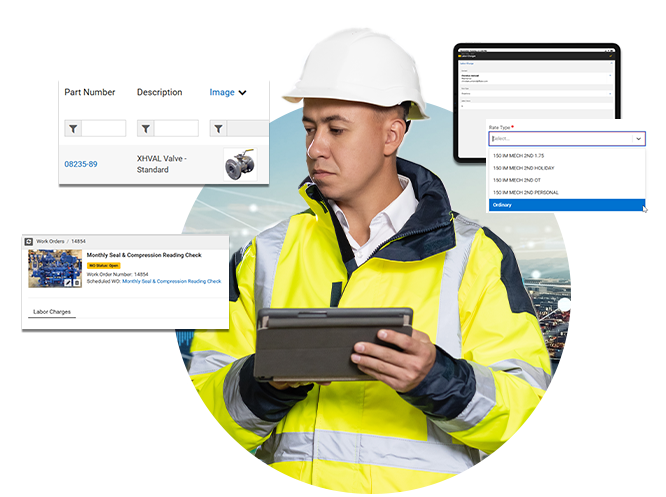
Purchasing & Requisition
Automatically sync maintenance requests with procurement systems. Process purchase approvals quickly and prevent delays.

Say goodbye to duplicate work, wasted time, and delayed purchase approvals

Break down data silos
Align maintenance and financial teams with real-time information like inventory status, parts requests, and purchase approvals. Proactively restock parts and strategize inventory levels for minimal downtime.

Eliminate duplicate work
Keep maintenance teams productive with a universal work system. Request parts, attach parts to a work order, and check inventory, all with eMaint.

Say goodbye to errors
Replace manual data transfers between systems with automated ones and boost accuracy. Data flows seamlessly between systems, saving valuable time and reducing errors.
Sample Automated Workflow
CMMS & ERP Integration for Work Order Parts Request

1. Work Order Creation (CMMS)
a. A maintenance technician identifies a failing pump and logs a work order in the CMMS.
b. The CMMS checks inventory to see if the required part is in stock.
2. Parts Request & Inventory Check (CMMS & ERP)
a. If the part is in stock, the CMMS automatically reserves it for the work order.
b. If the part is out of stock, the CMMS triggers a purchase requisition and sends it to the ERP’s procurement system.

3. Purchase Requisition & Approval (ERP)
a. The ERP system generates a purchase order (PO) and sends it to the approved supplier.
b. If needed, an approval request is sent to the purchasing manager for budget confirmation.

4. Order Processing & Status Updates (ERP & CMMS)
a. Once the supplier confirms the order, the ERP updates the expected delivery date in both systems.
b. The CMMS notifies the technician and maintenance team of the ordered part’s ETA.

5. Goods Receipt & Inventory Update (ERP & CMMS)
a. When the part arrives, the ERP updates inventory records and syncs with the CMMS.
b. The CMMS notifies the technician that the part is available, allowing them to proceed with the repair.

6. Work Order Completion & Cost Tracking (CMMS & ERP)
a. The technician completes the repair and logs labor time in the CMMS.
b. The CMMS syncs labor costs, part costs, and work order details to the ERP for accurate financial reporting.
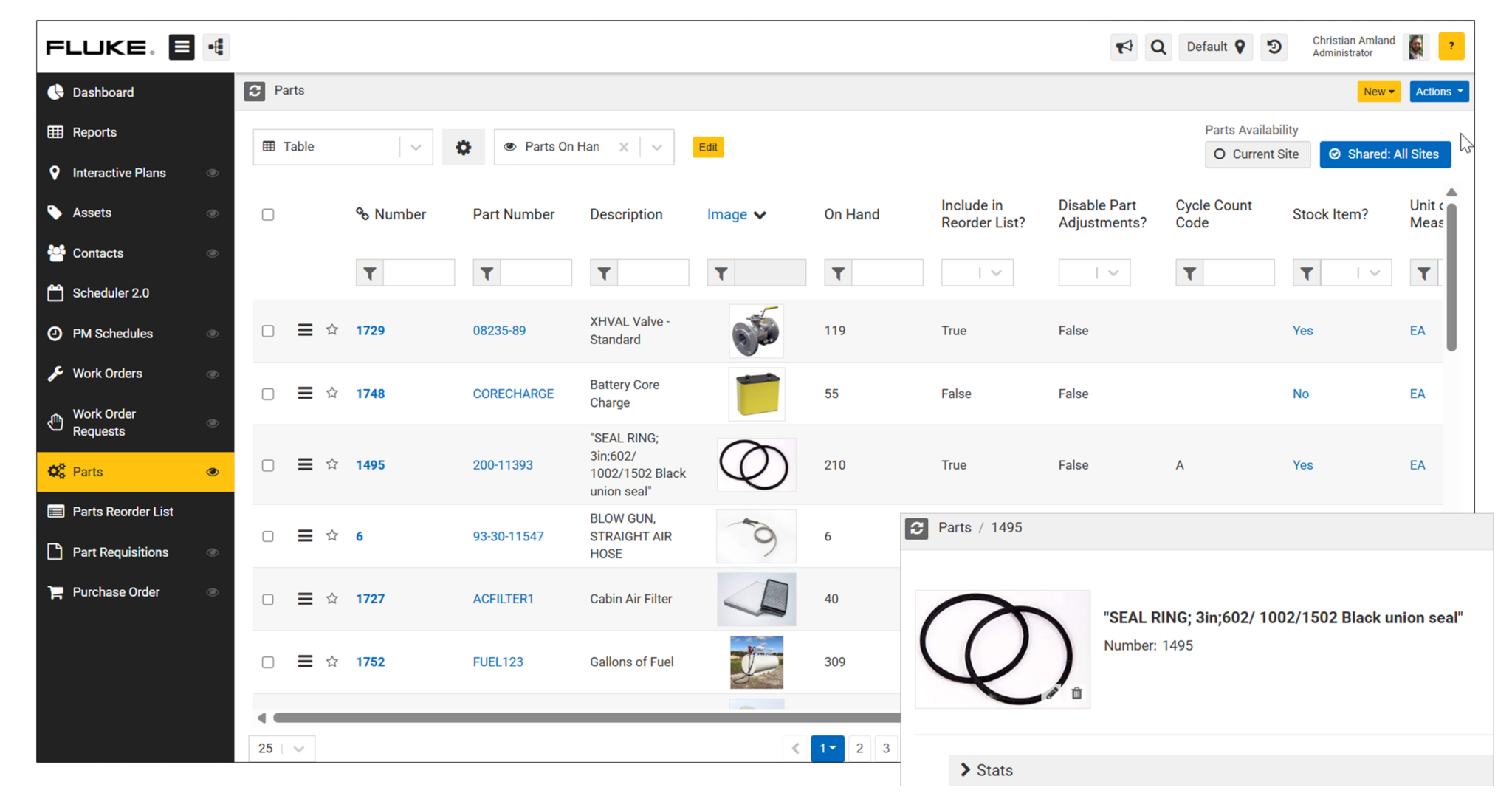
Inventory & Spare Parts
Replacement part delays are the number one cause of prolonged downtime. Optimize inventory levels and make sure critical spare parts are always where you need them.
Keep maintenance operations running smoothly while controlling inventory costs

Automatically optimize inventory levels
Inventory forecasting lets teams proactively plan spare parts in alignment with scheduled preventive maintenance, controlling inventory costs while ensuring vital parts are on hand.

Simplify tracking and purchasing critical spares
Avoid delays and reduce downtime with automatically triggered reorder alerts that streamline the procurement process across systems.

Sync data across systems and reduce maintenance delays
Eliminate manual errors with automatic syncing and ensure every part request, purchase order, and inventory update is recorded correctly.
No programming experience needed to integrate your ERP with eMaint

No Coding Required
We handle the integration for you, so you don’t need to be a programmer to connect your ERP with our CMMS.

Flexible Integration Options
Use our RESTful API for a straightforward connection. Or, let us customize integration to fit your specific needs.

Tailored Data Syncing
With custom integrations, we only bring data you need, exactly how you need it, creating a seamless workflow free from unnecessary clutter.
Labor & Time Tracking
Create a seamless system for tracking labor hours, work orders, and costs. Get a clear image of workforce efficiency and labor expenses.
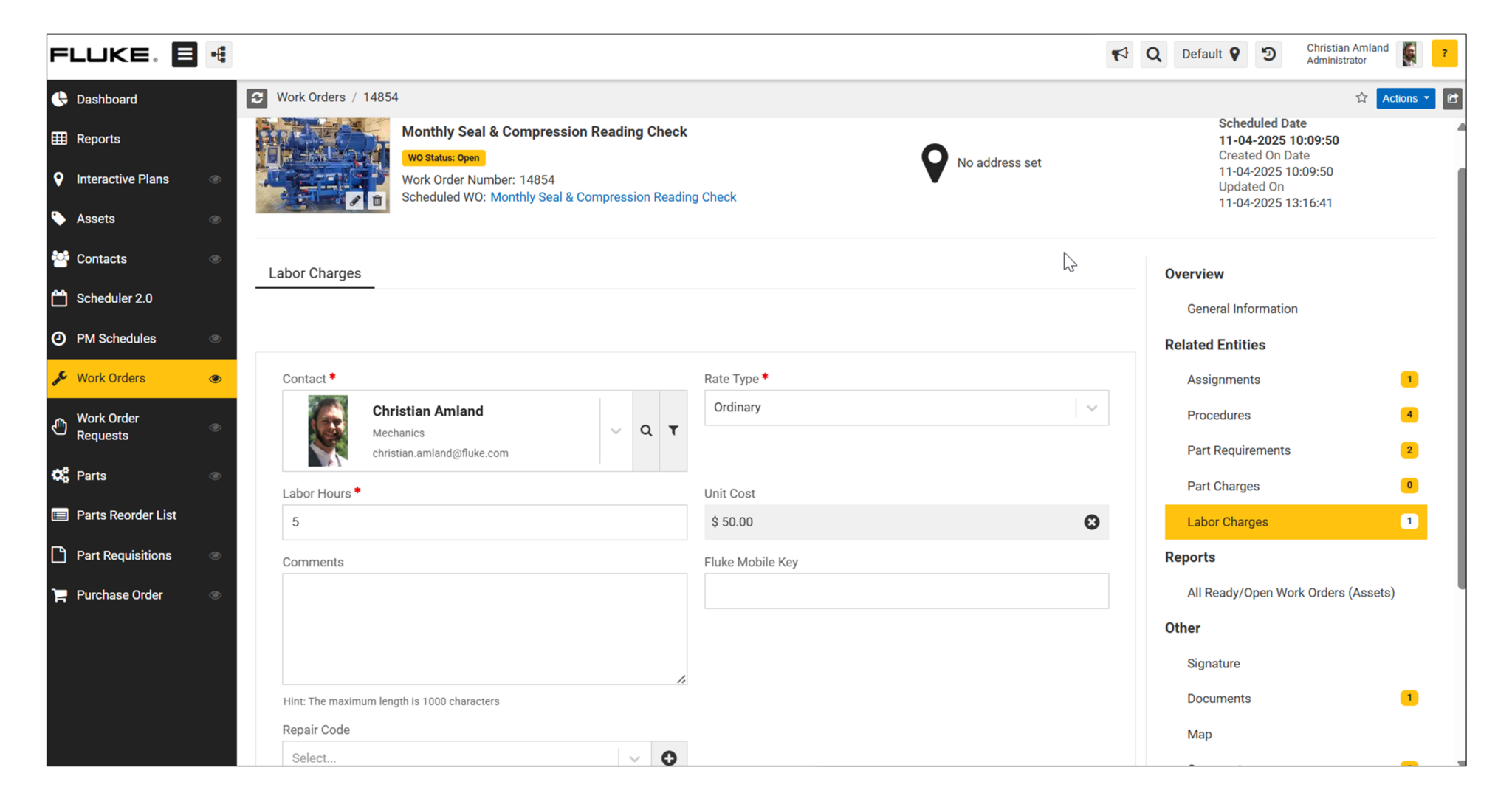
Simplify time tracking and increase payroll accuracy by syncing data across systems

Accurate payroll and cost allocation
Capture maintenance labor hours directly in your ERP for real-time insight into maintenance costs and expense tracking. Replace manual entry practices and reduce payroll errors.

Scheduling and productivity data visibility
Analyze historical labor data to optimize staffing levels and coverage while avoiding unnecessary overtime or maintenance delays.

Streamlined reporting
Simplify labor regulation compliance, ensure reporting accuracy, and improve financial planning efficacy. Gain visibility and closely monitor productivity and labor costs.

